Each installment in its month
A purchase in 6 installments is saved as 6 expenses, each in the month it is paid. You can edit one without changing the others.
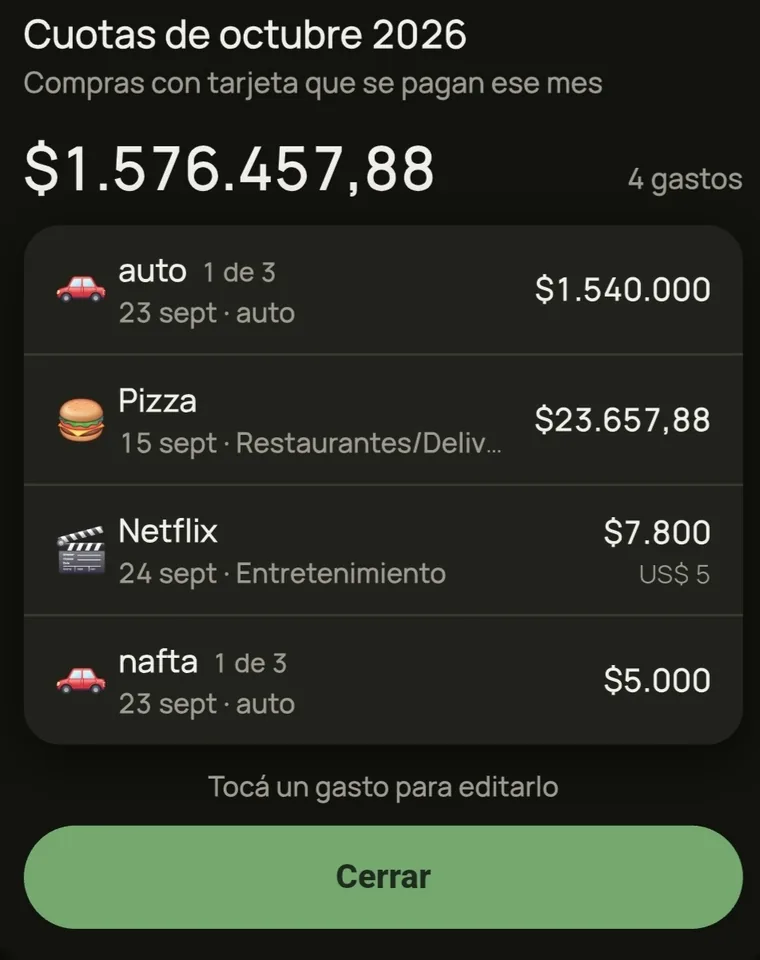
Logging expenses shouldn't be a chore. Tranco helps you keep full track of your spending and income, so you can relax. Log a purchase in seconds, and installments land in the right month on their own.
No bank connectionWorks offlineFree
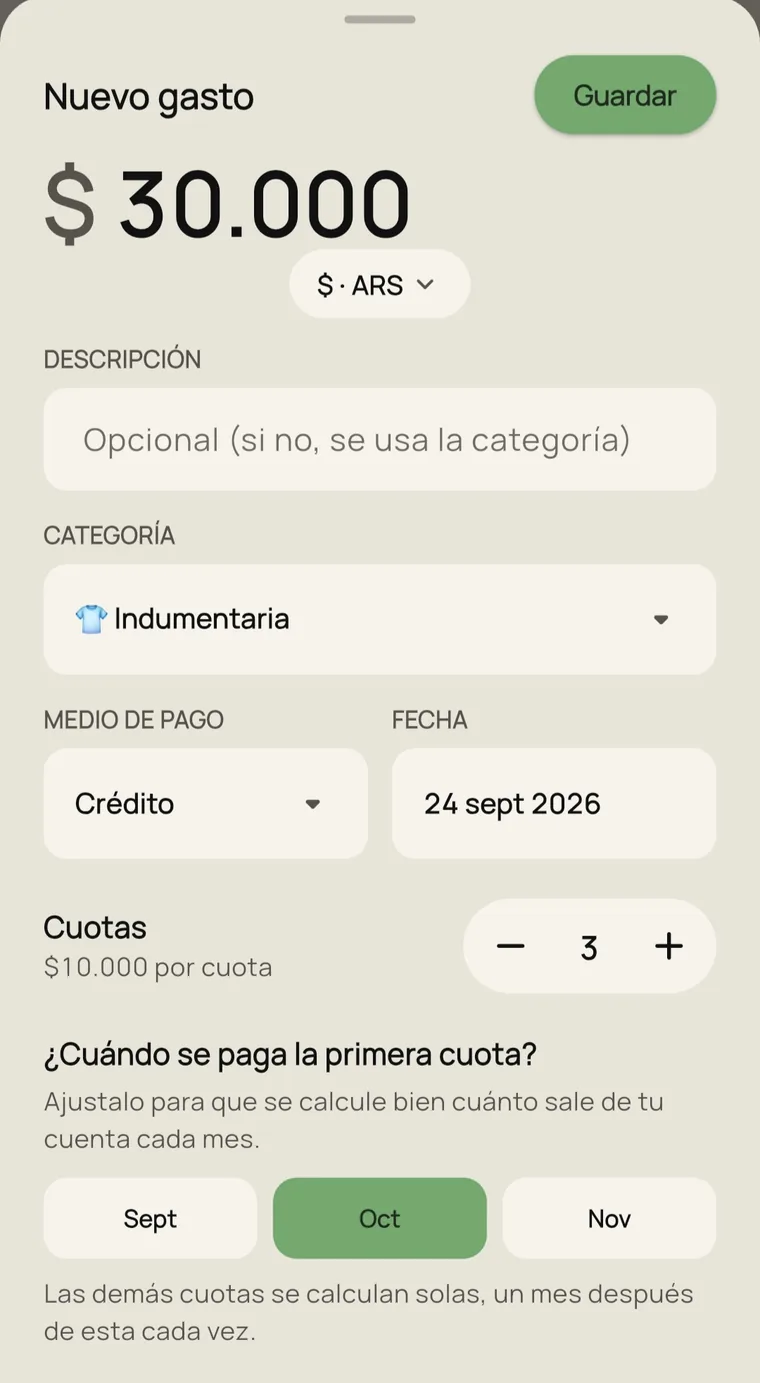
Adding an expense
The middle button opens the form with category, payment method and date already filled in. You type the amount and change only what you need.
How it works
A purchase in 6 installments is saved as 6 expenses, each in the month it is paid. You can edit one without changing the others.
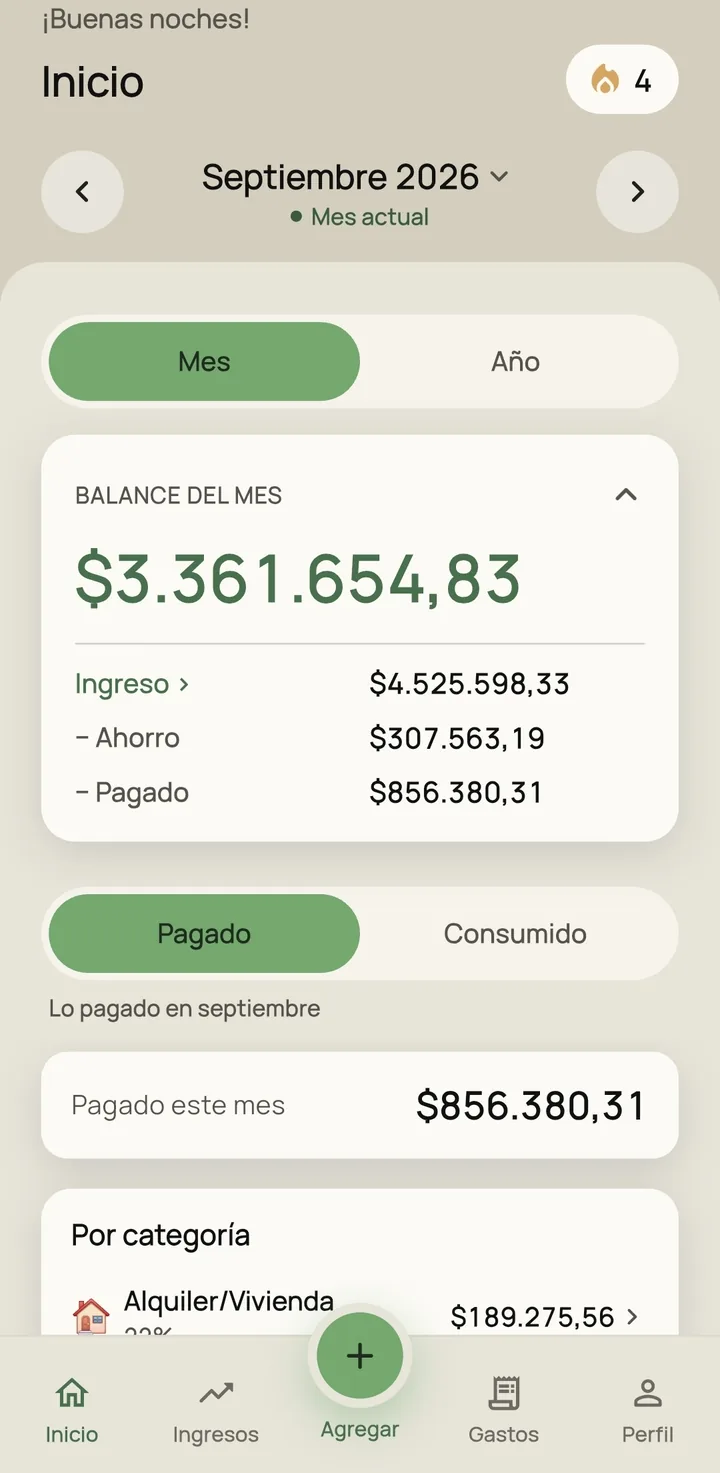
Income minus savings minus what you paid, with the detail behind each number.
Paid is what left your account this month. Spent is what you bought this month, even if you pay for it later.
Add, edit and delete without a connection. Changes sync when you are back online.
An expense in dollars, euros or reais is converted to your currency at the day's rate, which you can edit.
Record your income and how much of it you save. See savings month by month and for the whole year.
The number of days in a row you logged expenses. If you spent nothing one day, mark it and the streak continues.
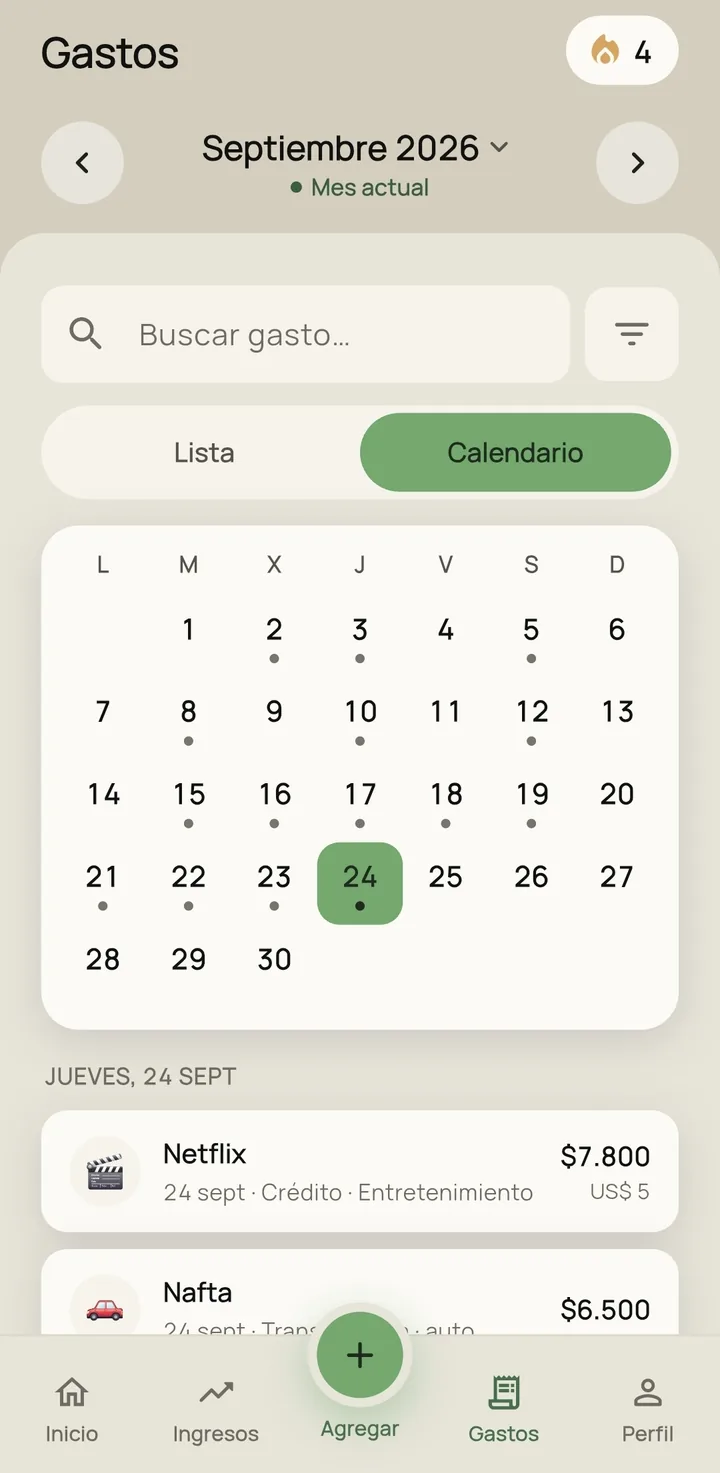
Your expenses
The month's expenses as a list or a calendar. Search by category, payment method, description or amount, and filter by category.
No spreadsheets or formulas: log each expense when you make it, and by the end of the month everything is organized.
Your data
Tranco doesn't ask for passwords or access to your accounts. You enter your own expenses.
Each account can only access its own data, and it travels encrypted.
If you delete your account from the app, everything you entered is erased. How to do it (in Spanish).
Pricing
FAQ
It's free and shows ads. A paid Pro version without ads will come later; features that are free today will stay free.
No. Tranco doesn't ask for bank details: you enter your own expenses.
It works the same. What you enter is saved on your phone and syncs when the connection is back.
Each installment is saved as a separate expense, in the month it is paid. You can edit one without changing the others.
No. Tranco shows your numbers organized, without financial advice.
Yes. Pick the expense's currency and it's converted to yours at today's rate, which you can change. In Argentina you choose which dollar rate to use. Rates are for reference only.
For now, Tranco is only available on Google Play.
From the app: Profile, tap your name, then “Delete my account”. Everything you logged is erased. If you no longer have the app, here's how to request it (in Spanish).
Follow us on Instagram to know when it's out. If you have questions, write to us.