Log an expense by typing it the way you’d say it.
Tranco’s Chat reads what you type and saves it with its amount, category and installments. No forms.

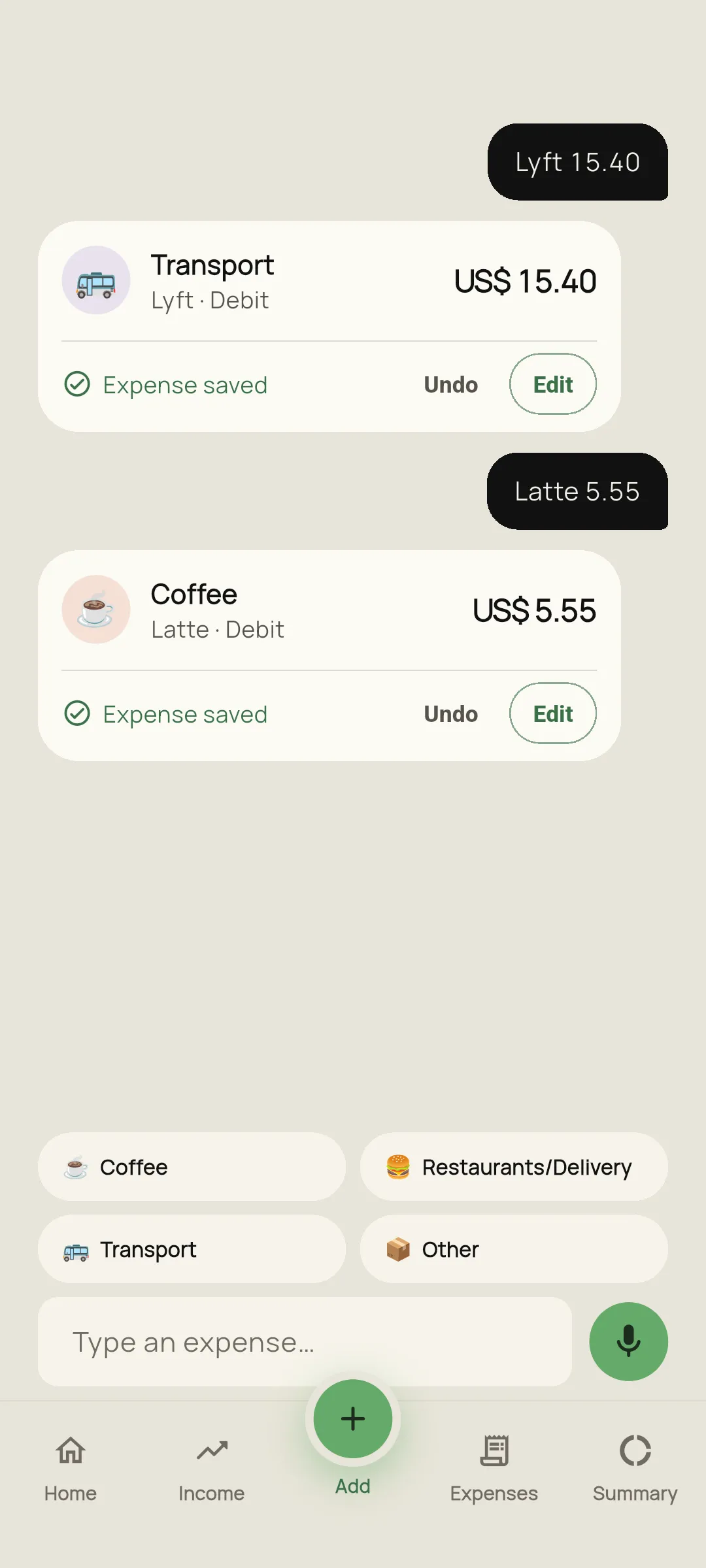

How it works
Type the expense
Like you’d text it. In any language, with or without a currency.
Tranco understands it
It picks out the amount, category, payment method and installments. If something isn’t clear, it asks first.
It’s saved
“Expense saved” shows up with Undo and Edit. With credit, you choose the month the first installment is paid.
This is how you write it.
Examples: the category depends on yours.
- uber 9🚌Transport · US$ 9.00
- lunch 12 debit🍔Restaurants/Delivery · Debit · US$ 12.00
- tv 900 in 6 installments📺6 installments of US$ 150.00
- coffee 4 eur☕€ 4, converted to your currency
What you should know.
With a receipt photo
Snap the receipt and Tranco reads the total, the store and the date. The photo never leaves your phone: only the text is sent.
When in doubt, it asks
“How much was it?” with both possible readings, or “Which category?” with your three most used. Nothing uncertain reaches your balance without you seeing it.
It starts with your usual
When you open it, it suggests your regular expenses with their last amount: tap and they’re logged.
Undo and edit
Each expense can be undone or edited right away. Undone ones go to the trash.
It only logs
It doesn’t chat or give advice: you type an expense and it saves it.
Offline, with PRO
Simple ones are handled on your phone. The rest are read when you’re back online and wait for you to confirm on Home.
Marked in your expenses
What you logged with the Chat has a speech bubble on its icon.

3 trial expenses a month. Unlimited with PRO.
You get 3 trial expenses a month with the Chat, with your Google account and online. With Tranco PRO it’s unlimited, offline too.
Questions
Do I need an account?
Yes. The Chat needs you to sign in with Google, because the free trial is counted per account.
What happens to what I type?
What your phone doesn’t understand is sent to an artificial intelligence service only to read the expense. We explain it in the privacy policy.
Does it understand installments and currencies?
Yes: “in 6 installments”, “12 installments”, “15 usd”, “20 euros”. Anything in another currency is converted to yours with the day’s rate.