Let Tranco do the logging.
Pay with your phone and the expense shows up. Log without opening the app. See your balance at a glance. On Android and iPhone.

Corner Bakery
US$ 6.80
Done9:41
Friday, November 13
01
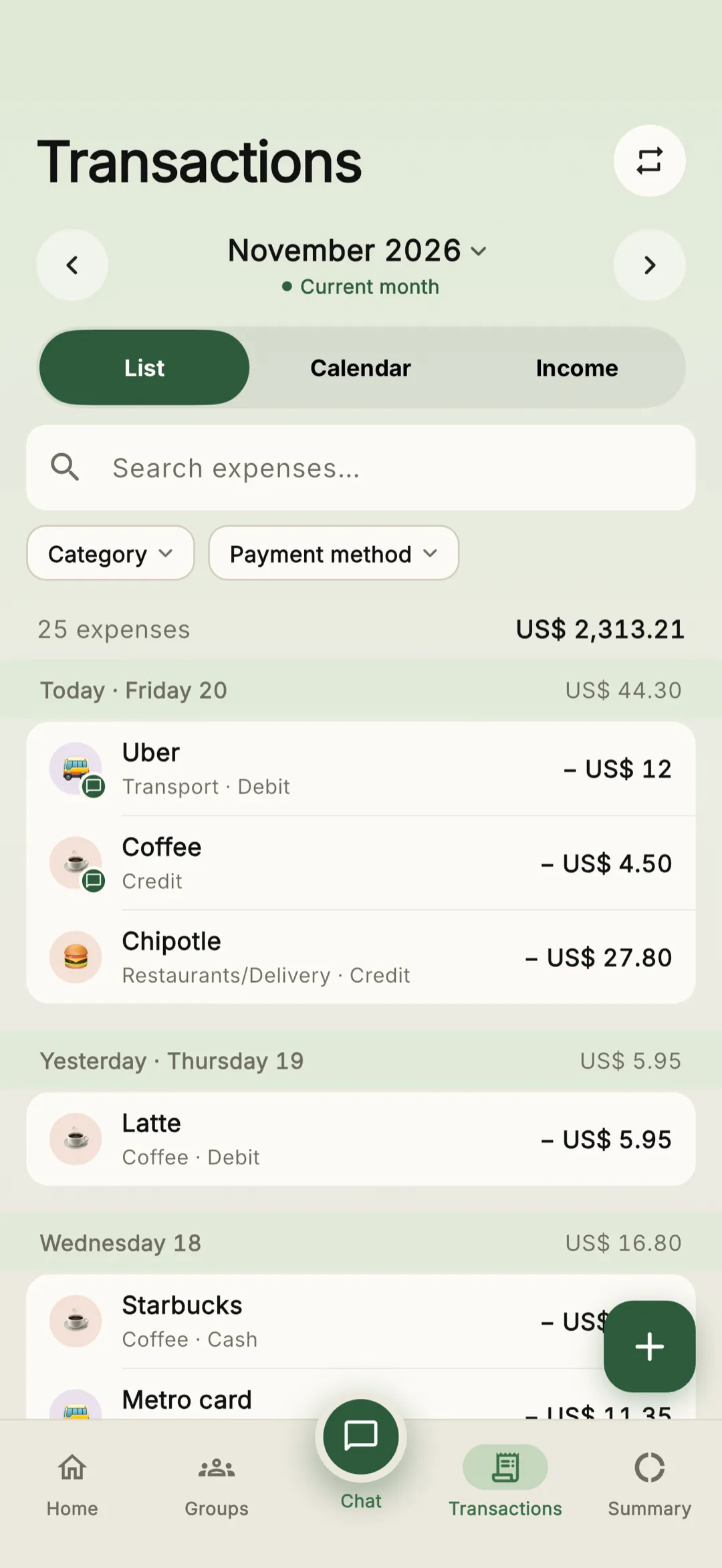
Pay with your phone and the expense logs itself.
Every payment is logged with the store, the amount and the category you gave that store before, and you get a notification to fix it if needed. No bank connection.
Android
With Google Wallet: Tranco reads the payment notification on your phone.
iPhone
With Apple Pay: a Shortcuts automation passes each payment to Tranco.
With Tranco PRO.
More about Automatic expensesCorner Bakery
US$ 6.80
Done9:41
Friday, November 13
02
Log an expense without opening the app.
Pick the category, enter the amount and the payment method, and it’s logged. Without opening Tranco or unlocking it.
Android
A button in Quick Settings, the panel you pull down from the top, and the Expense and Income buttons on the widget.
iPhone
By double-tapping the back of your iPhone, with the Action button or by asking Siri.
03
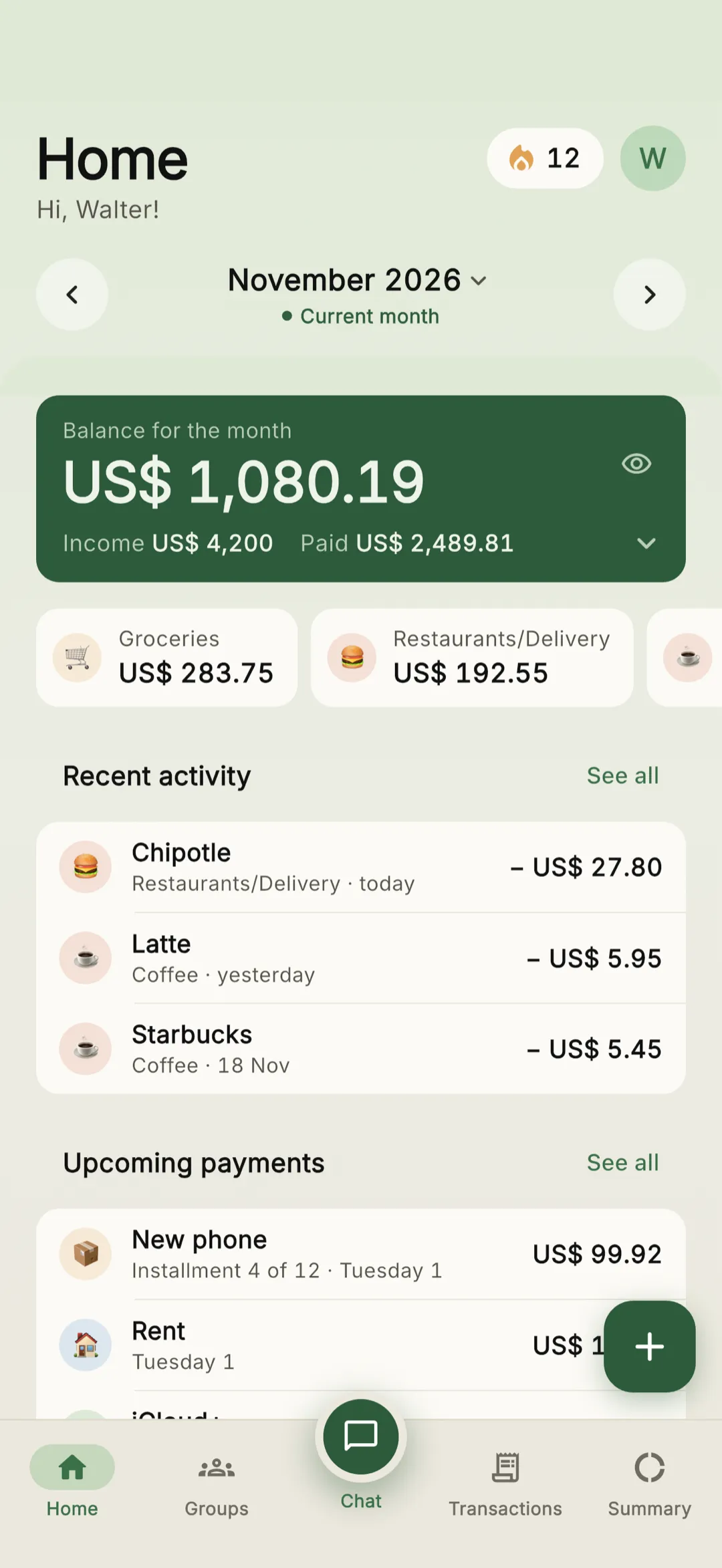
Your balance, at a glance.
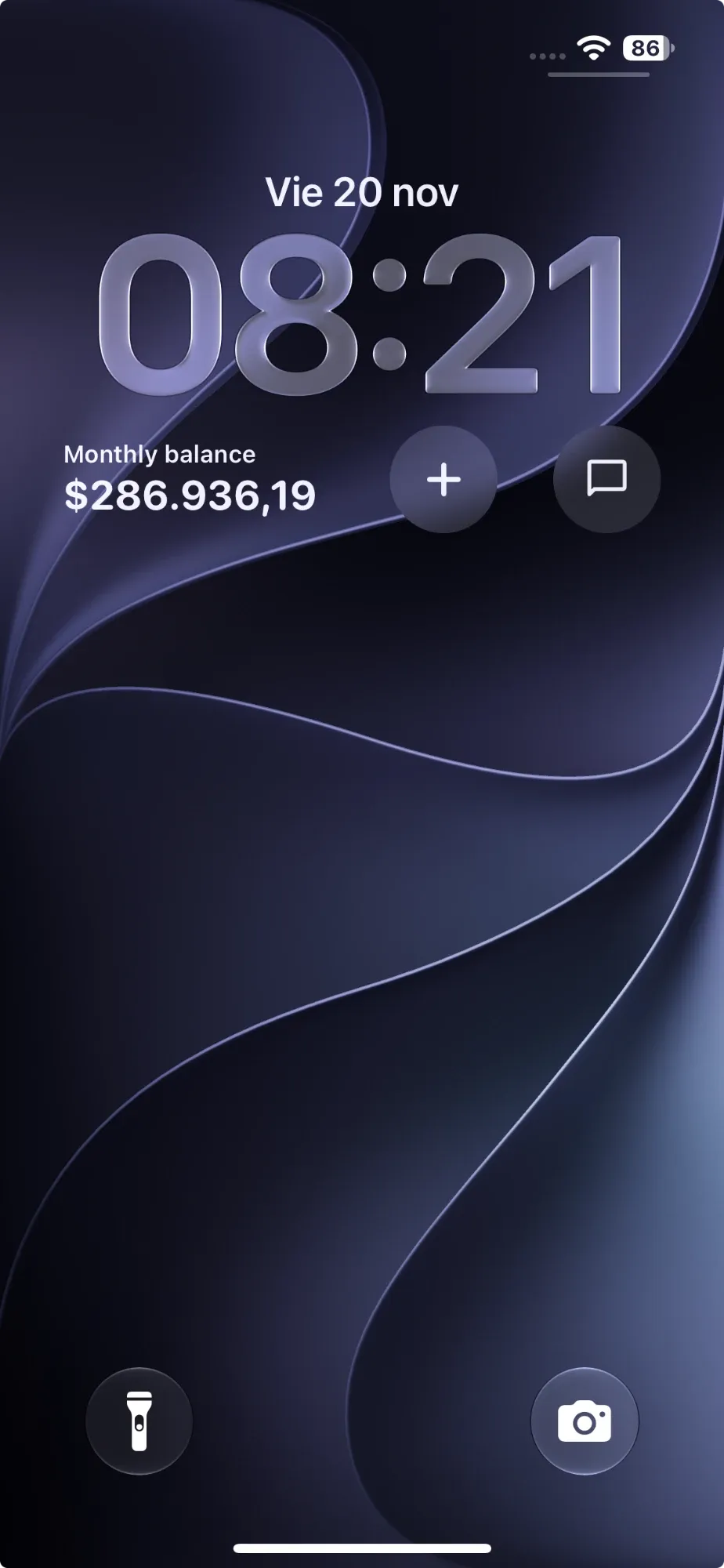
Widgets for your Home Screen and, on iPhone, the Lock Screen too: the month’s balance, your budgets and buttons to log or open the Chat.
Android
Log, Monthly balance, Income and expenses and Budgets, on your Home Screen.
iPhone
The same, plus Month pace and By category, and the balance and buttons on the Lock Screen.
Quick log and widgets are free.
Automatic expenses are part of Tranco PRO, with 7 days free to try them.
Questions
What’s free and what’s PRO?
Quick log and widgets are free. Automatic expenses, with Google Wallet or Apple Pay, are part of Tranco PRO.
Does Tranco see my card or my bank?
No. Tranco doesn’t connect to your bank or see your card number: it logs the store and amount of each payment, and it can’t pay or move money.
Does it work with my bank?
For now, with Google Wallet payments on Android and Apple Pay on iPhone. If you’d like another one, write to support@tranco.app.
Do widgets update on their own?
Yes. Every time you log something, including from Quick log, the widgets show the new number.
Do I need an account?
Not for Quick log or widgets. Automatic expenses are PRO, and PRO uses your Google or Apple account.